
The new Photohawk web uploader
Faster than FTP, built for uploads of more than 100,000 photos, and it picks up where it left off.
On Pro and Enterprise, previews first gets a big event live in minutes, not hours.
Previews first
Pro and EnterpriseOn Pro and Enterprise: live in minutes, not hours. A 10,000-photo gallery can be live and selling in about 8 minutes on a 20 Mbps upload.
Light previews go up first, so your gallery can go live and start selling, or giving free downloads, while the originals follow. If someone buys or downloads a photo before its original arrives, that original jumps the queue.
How preview-first uploads work- 1Light previews go up first
- 2Your gallery goes live
- 3Someone buys a photo
- 4Its original jumps the queue
- 5The originals follow
Light previews of six photos fly from your computer into your gallery, and the gallery switches to Live. Someone taps Buy on one photo, and its original moves to the front of the originals queue and goes up first. The other originals follow.
Why it's faster than FTP
The same photos, sent two ways.
Many photos at once
It sends many photos at once, far more than an FTP app like FileZilla (2 at a time by default, and no more than 10).
Makes full use of your connection
It keeps adjusting as it uploads, to make full use of your connection.
Built for big events
We've tested it at scale, and it comfortably handles uploads of more than 100,000 photos.
Live in minutes, not hours (Pro and Enterprise)
On Pro and Enterprise, light previews go up first, so a 10,000-photo gallery can be live and selling in about 8 minutes on a 20 Mbps upload, while the originals follow.
Picks up where it left off
If your connection drops, it resumes by itself. Add the folder again and only what's missing is sent.
How long will your upload take?
An estimate for your gallery, from your own upload speed.
Your estimate
Gallery live in about 8 min
All originals uploaded in about 13 h
Originals only
Gallery live in about 13 h
when all 100 GB of originals is up
Estimates only. Real times depend on your connection, your computer and your photos.
| Upload speed | Previews first: gallery live (Pro and Enterprise) | All originals uploaded |
|---|---|---|
| 20 Mbps | about 8 min | about 13 h |
| 50 Mbps | about 4 min | about 5.5 h |
| 100 Mbps | about 4 min | about 2.5 h |
| 500 Mbps | about 4 min | about 35 min |
The figure of about 8 minutes was measured on a 20 Mbps upload (previews first, Pro and Enterprise). The other rows are estimates from the same model, with originals of about 10 MB.
More that's new
Real screens from the new web uploader.
Status in plain words
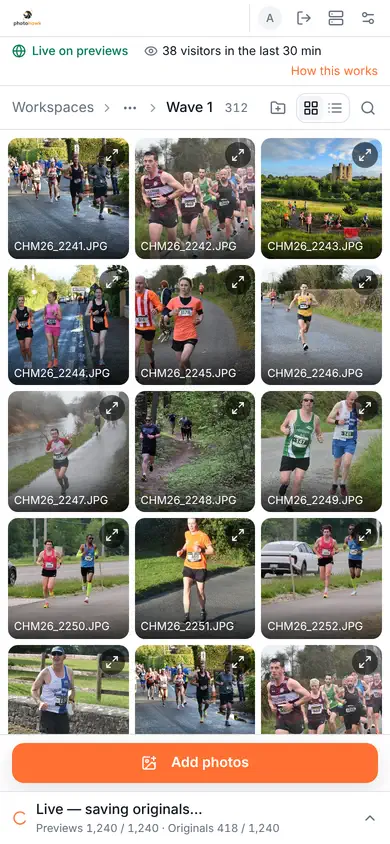
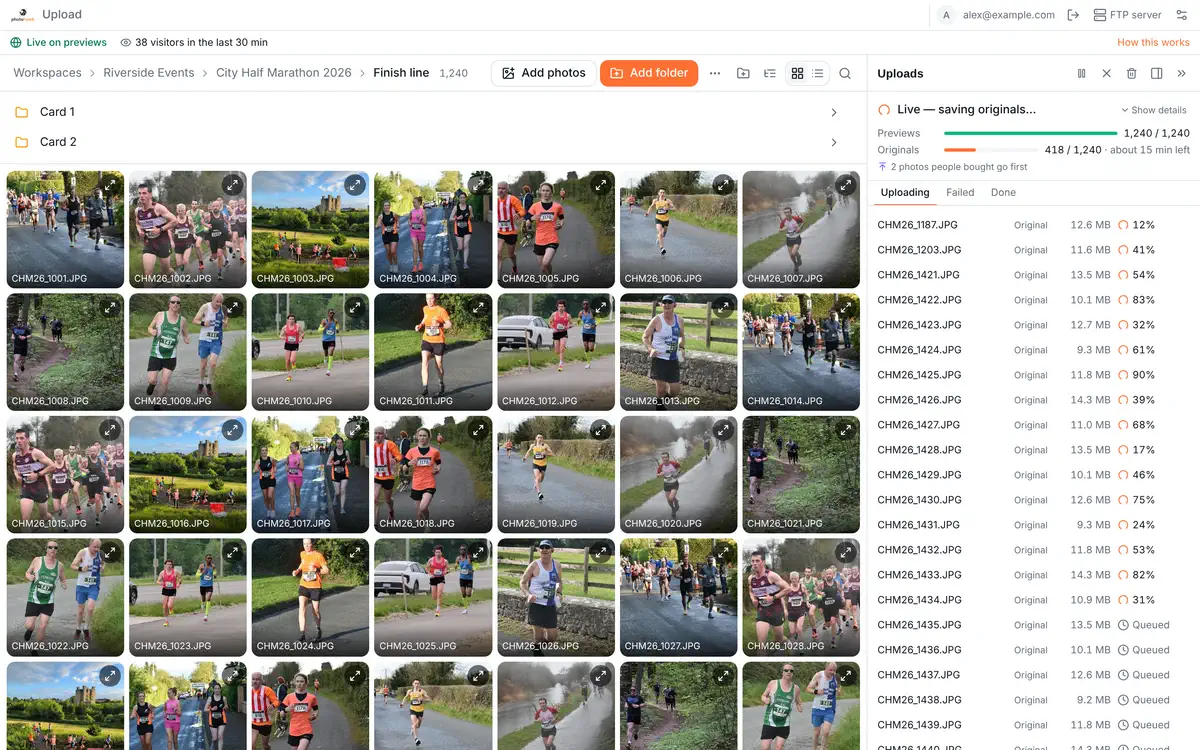
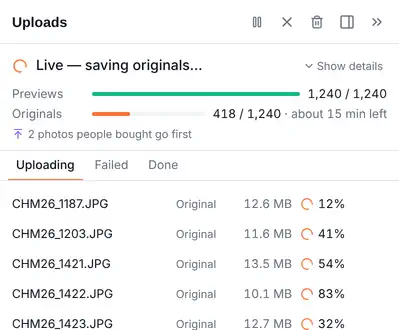
See where things stand at a glance. With previews first (Pro and Enterprise), that's Previews, then Originals, each with its own progress.
A queue that goes where you want it
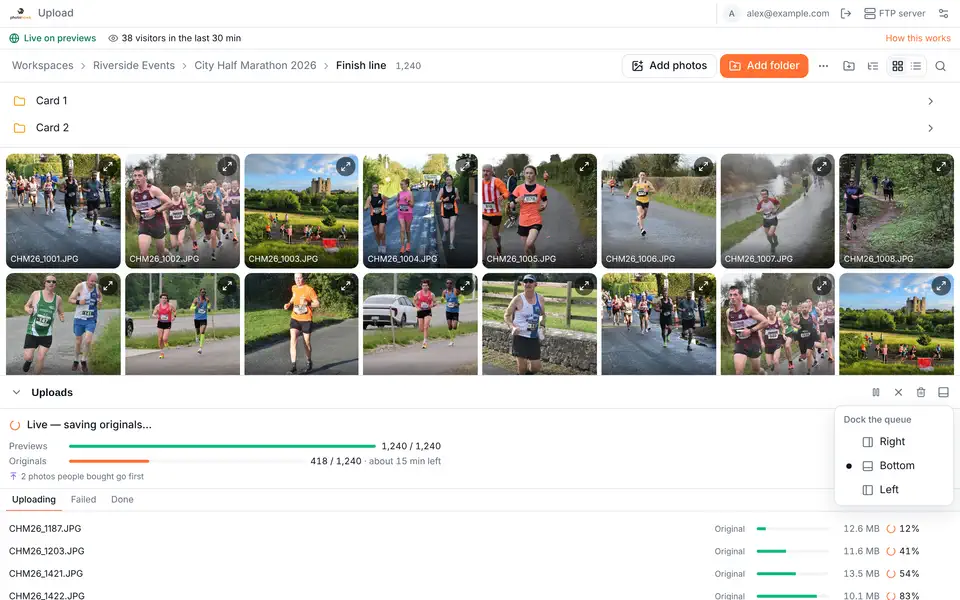
Dock the upload queue on the right, on the left or along the bottom, and drag it to the size you like. Your browser remembers your choice.
See who's looking
The status bar shows how many people are viewing your gallery right now, on every plan.

Picks up where it left off
If your connection drops, it resumes by itself. Add the folder again and only what's missing is sent.

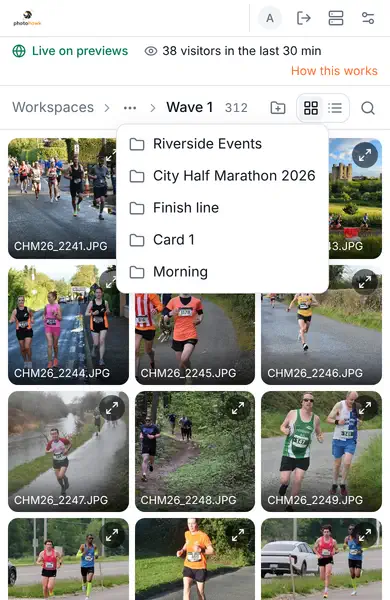
Clear on a phone, too
On a small screen the folder path folds up to fit, and tapping “…” shows the folders in between, so you always know where your photos are going.
What's changing with FTP on 1 November
Our always-on shared FTP servers close on 1 November 2026. Using FTP today? Please switch before then.
Shared FTP closes on 1 November 2026
The always-on shared FTP servers switch off on 1 November 2026.
The web uploader is the standard way to upload
It's on every plan, and you can use it today.
If FTP is essential
Pro and Enterprise workspaces can start their own on-demand FTP server from the web uploader, at a personal address that never changes. It switches off after an hour without activity.
Try it on your next upload
The new web uploader is ready on every plan. Add a folder and watch your gallery go live.
Open the web uploader