How to find your race photos (by bib number or a selfie)
Where race photos are posted, how bib and selfie search work, what to do when you can't find yourself, and how face search handles your privacy.
In this guide
You crossed the line, you got your medal, and somewhere out there is a photo of you doing it. Finding it shouldn't take longer than the race did. This guide covers where race photos are usually posted, how searching by bib number and by selfie actually works, why each one sometimes misses you, and what to do when you can't find yourself at all.
Where race photos usually are
Most organised races have at least one of these, and many have several:
- An official photo partner. The organiser books a photographer or a photo company, and the results email, the event website or the finish-area signs tell you where the gallery is. This is the most complete set: they usually cover the start, points on the course and the finish.
- Independent photographers. Freelancers often shoot popular courses on their own account and post galleries afterwards. Search the event's name on social media, and look at the comments on the organiser's posts, where photographers often share their links.
- Clubs and volunteers. Running clubs, triathlon clubs and marshals take photos too, usually shared free in a club group or album.
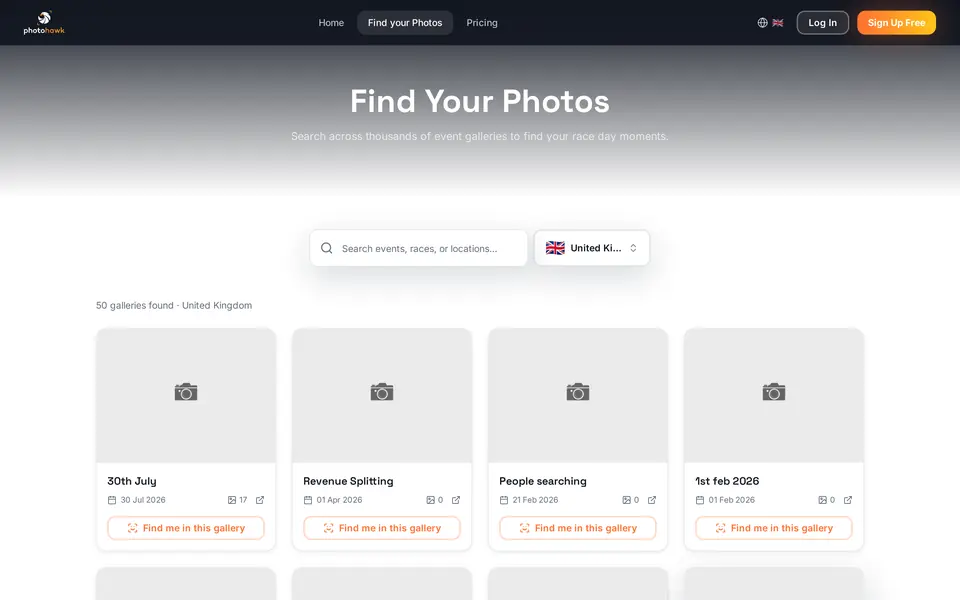
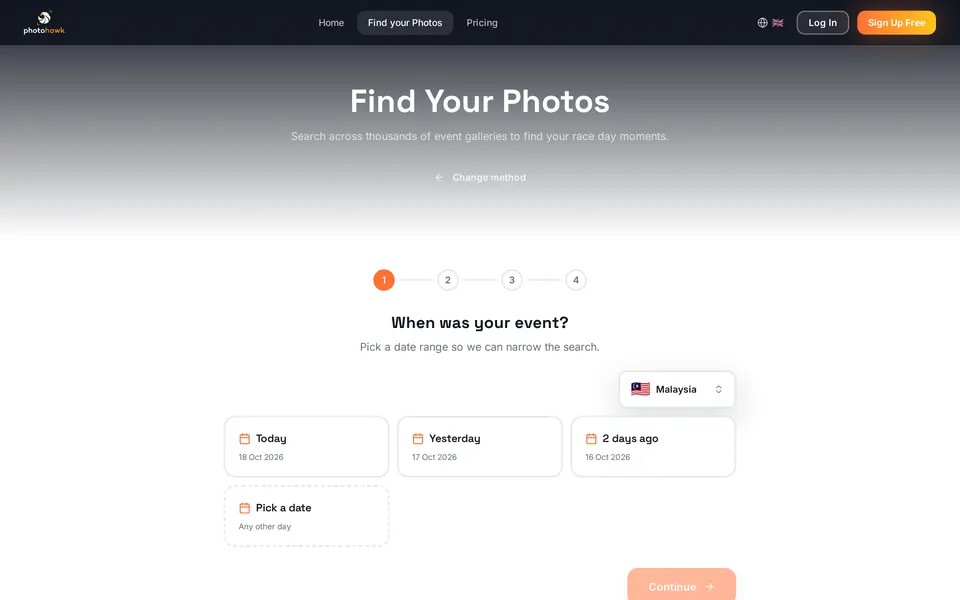
- Photo platforms. Galleries from many photographers end up on platforms that let you search across events. On Photohawk, every public gallery can be searched from one page, Find your photos, by the event's name, by date and by country.
Timing varies. Some galleries are online while the race is still going; a big event shot by several people can take a few days to upload and sort. If you can't find a gallery the evening after the race, it's usually still on its way rather than missing.
How bib search works
When photos are uploaded, they're scanned for race numbers. Each number that can be read is attached to the photo, so when you type yours, you get back every photo in which your number was read. It's fast and precise: a number is unique within an event, so a gallery of thousands of photos can be cut down to yours in a moment.
The catch is that the number has to be visible and readable in the photo. A bib reader can only read what's in the frame:
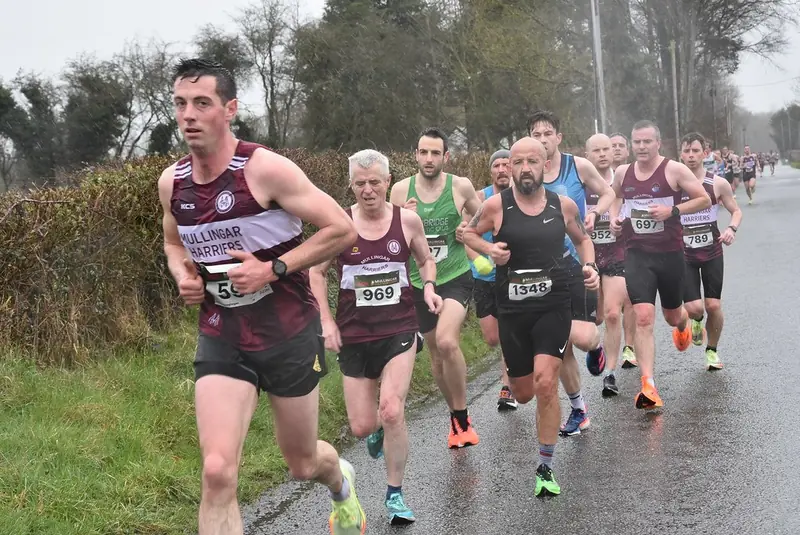
- Readable: 969: flat, facing the lens, all digits visible. Easy to read.
- Readable: 1348: clear, even though the runner is turning slightly.
- Readable: 697 and 789: small and further back, but still readable in a sharp photo.
- Hard to read: A hand across the bib: only part of the number shows, so this runner is a job for selfie search.
- Hard to read: Half hidden behind another runner's arm: the first digits are missing.
When bib search misses you
- Your bib was covered. A hand, an arm swinging across your body, a jacket, a hydration vest or a club flag all hide numbers. This is the most common reason for a miss.
- Another runner was in the way. In a pack, the person beside you often hides half your number, and a reader that sees only "48" can't know you're 1348.
- It was crumpled, folded or twisted. Bibs bend as you move, and a race belt can spin the number sideways or round to your back.
- You were small in the frame. Wide shots of the field and photos taken from far away often show bibs that are too small to read.
- It isn't on your front. Cyclists, triathletes on the bike and trail runners in packs often wear numbers on their back, their side or their bike. A photo from the front won't show them.
- You're searching the wrong gallery. Many events reuse numbers between distances or days, so number 412 in the 10K isn't the same person as number 412 in the half marathon.
How selfie search works
A selfie search compares your face with the faces in the gallery's photos. In plain terms:
When the photos are uploaded
- Faces are found in each photoEvery face in the gallery's photos is located.
- Each face becomes a face templateA set of numbers describing the face, not a picture of it.
- Templates go into that gallery's indexOne index per gallery, used only for searching that gallery.
When you search with a selfie
- Your selfie is turned into a templateThe same kind of numbers, made from your face.
- It's compared with the gallery's templatesFaces that are close enough count as possible matches.
- The selfie is discardedIt isn't stored or added to any index. You see the matching photos.
When the photos are uploaded, every face in them is found, and each face is turned into a face template: a set of numbers that describes the face, not a picture of it. When you search, your selfie is turned into the same kind of template and compared with the gallery's templates. Faces that are close enough come back as possible matches, and you check them yourself. On Photohawk, your selfie is then discarded: it isn't stored and isn't added to the gallery's face data.
Because it doesn't depend on your number, a selfie finds photos that bib search can't: the ones where your bib was under a jacket, behind someone else, or on your back. It also works at events with no bibs at all, such as fun runs, school sports days, weddings and conferences.
Getting a good result from your selfie
- Face the screen, in good light. Daylight from a window or outdoors in shade works best. Avoid strong light from behind you.
- Take off sunglasses and hats for the selfie, even if you wore them on the day.
- No filters, no beauty modes. They change the shape and texture of your face, which is exactly what's being compared.
- One face only. If someone else is in the selfie, the search can't know which of you it's looking for.
- A recent photo of yourself is better than an old one. If you've had a haircut or shaved a beard since, a photo from around the day works best.
When selfie search misses you
Face search works on the faces in the photos, so it struggles where your face is hard to see: sunglasses and a cap together, a cycling helmet and wraparound glasses, a face turned away from the lens, motion blur, face paint, or a face that's tiny in a wide shot. That's why the two kinds of search are best used together.
Try your bib number first when…
- Your bib was on the front and flatPinned to your chest or a race belt, not folded or under a jacket.
- The event is big and busyA number is unique, so it cuts thousands of photos down fast.
- You wore sunglasses, a cap or a buffYour number doesn't care what's on your face.
Use a selfie when…
- Your bib was covered or out of sightArms, jackets, hydration vests and other runners all hide numbers.
- There were no bibs at allWeddings, parties, conferences, school and club days.
- You want the photos bib search missedRun both. Each finds photos the other can't.
Step by step: finding your photos on Photohawk
- Go to Find your photos and search for the event's name, or pick your country and browse the galleries by date.
- Choose Find me in this gallery on the right gallery card.
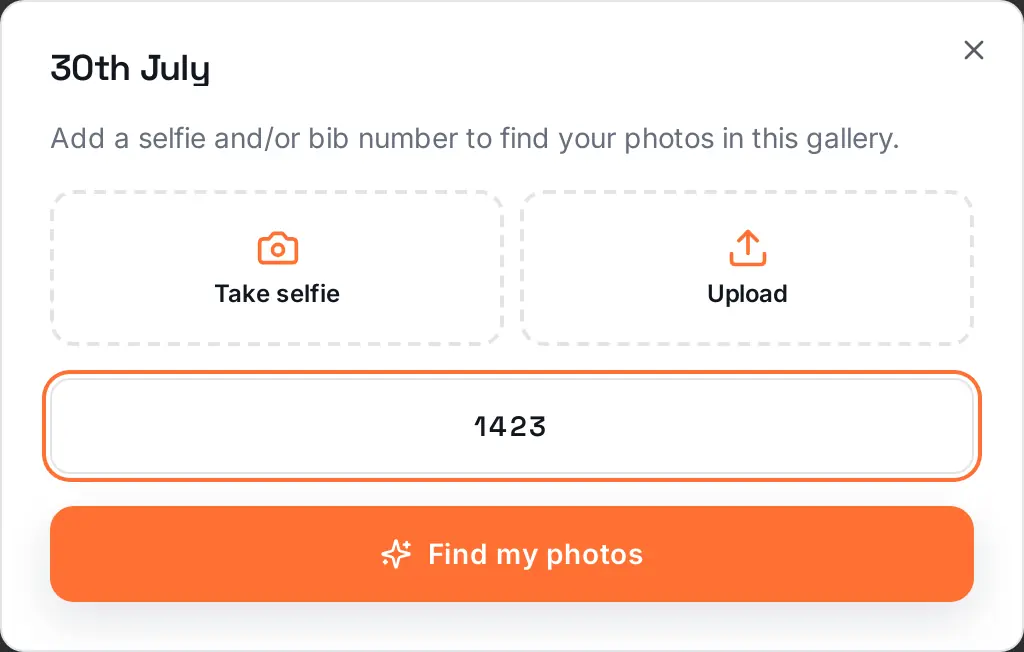
- Add a selfie (take one or upload one) and/or type your bib number, then choose Find my photos.
- Open the gallery to see every match, buy or download the ones you want, and share the link with whoever ran with you.
In some countries, Photohawk also offers a Find my photos wizard on the same page. It asks when your event was, lets you pick the galleries that might have you in them, and then searches them all with your selfie and bib number at once. It's useful when you're not sure which photographer covered your race.
What to do if you can't find yourself
Work through this list before you decide the photographer missed you:
- Check you're in the right gallery. Distance, wave, day and even the photographer can differ. Big events often have one gallery per distance.
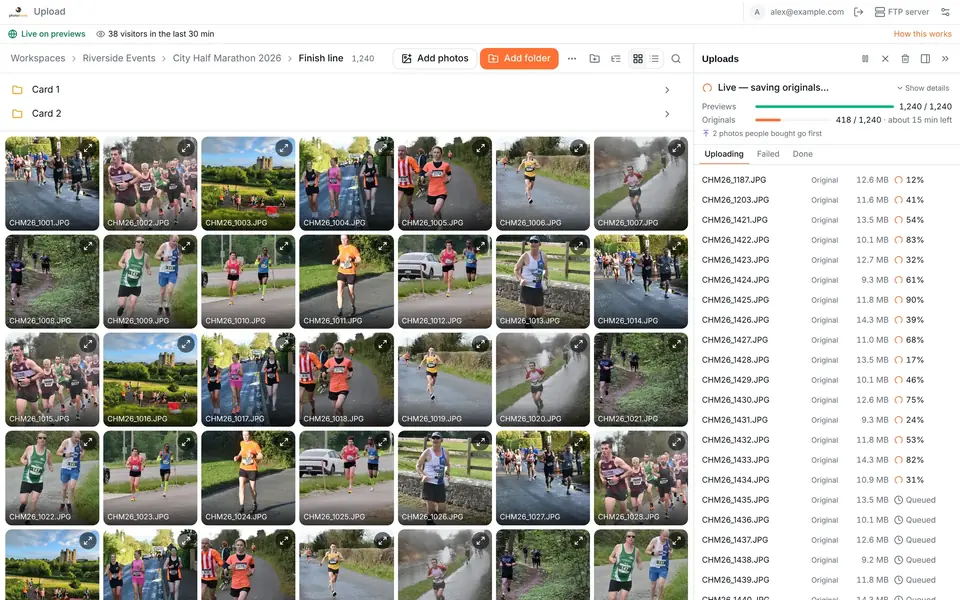
- Give it time. Large galleries are uploaded in batches, and searches only cover photos that are already up. On Photohawk, some galleries go live on light previews first while the originals follow (how preview-first uploads work), and search works on those previews, so a gallery that's live is searchable. Check again the next day.
- Run both searches. If you tried your number, try a selfie, and the other way round.
- Try a different selfie. Better light, no glasses, facing the screen.
- Browse where and when you were. Galleries are often split by location, such as start, course and finish, or ordered by time. If you know roughly when you passed a point, you can scroll that part quickly.
- Ask. Use the contact details in the gallery or on the event's page. Photographers can often find a runner in a few minutes from a description and a rough time.
Not every runner is photographed at every point. A photographer standing at one bend of a 10K sees everyone pass once, for a few seconds, and in a crowded pack some faces are always hidden. If you've tried all of the above and still have nothing, it may simply be that the shot doesn't exist.
Free downloads or paid photos?
Every Photohawk gallery is set to one of two modes, and it's the gallery's owner who chooses:
| Mode | What you see | What you get |
|---|---|---|
| Sharing mode | The gallery's photos, free to download | The originals, free. Usually paid for by the organiser, a sponsor or a club. |
| Selling mode | Watermarked previews you can search and browse | The originals, once you've bought them, at the prices the photographer sets |
In a selling gallery, the preview you browse isn't what you buy. Previews are watermarked, and some galleries also use preview protection, which softly blurs people in the previews while keeping faces clear so you can still recognise yourself. When you buy, you get the original photo without the watermark. Prices and any bundles, such as all your photos from the event for one price, are set by the photographer, so they vary between galleries.
If you want to use a race photo for anything beyond your own memories and social posts, such as a sponsor's advertising, ask the photographer first. Buying a photo doesn't automatically give you every right to it.
Your privacy and face search
Face search is optional: you can always search by bib number or browse instead. If you do use a selfie, here's what happens to your data on Photohawk, as set out in our biometric data retention policy:
- Your selfie is used for that search only. It's compared with the gallery's face templates and then discarded. It isn't stored and isn't used to create a face template.
- The faces in the gallery's photos are turned into face templates so they can be searched. They're kept in that gallery's own face-search index and are deleted automatically, at the latest 12 months after each photo was uploaded, and sooner if the gallery closes or face search is switched off for it.
- You can ask for your face data to be deleted at any time. In the gallery, open selfie search and choose Make a request, or email support@photohawk.com and say which gallery or event it's about. Photohawk deletes the matching face data within 30 days and stops those photos from being indexed for face search again.
Deleting your face data doesn't delete any photos: they stay in the gallery, and bib search still works on them. To have a photo taken down, contact the gallery's owner, usually the photographer or the event. For everything else about how Photohawk handles personal data, see our privacy policy.
Learn moreFind your photosSearch event galleries on Photohawk by name, date and country, then find yourself by bib number or selfie.Questions people ask
How long after a race are the photos online?
It depends on who took them and how many there are. Some galleries go live while the event is still running; others take a day or several days. If the event has an official photo partner, the organiser's results email or social pages will usually say when and where the photos will appear.
Do I need an account to search for my photos?
No. On Photohawk you can browse a gallery and search it by bib number or selfie without signing up for anything.
Is my selfie stored?
No. On Photohawk a selfie used to search is compared with that gallery's face data and then discarded. It isn't stored, isn't added to any face-search index and isn't used to create a face template. See our biometric data retention policy.
I wore my bib under a jacket. Can I still find my photos?
Yes, if the gallery has face search switched on. Use a selfie instead of your number. If it doesn't, browse the part of the gallery that covers where and when you passed.
Why can't I download the photo I found?
In a gallery set to sell photos, the version you see is a watermarked preview; you get the original once you've bought it. In a gallery set to free downloads, the download gives you the original.
Can I have my photos taken down?
You can ask Photohawk to delete your face data at any time (the photos stay, but you won't be found by face). To have a photo removed from a gallery, contact the gallery's owner, usually the photographer or the event, through the gallery or the event's own contact details.
Written by
The people who build and run Photohawk
We build Photohawk, the platform event photos are shared and sold on, and we answer its support inbox. These guides come from what we see every week: how galleries are set up, how people search for their photos and what they ask us when something goes wrong.
Published · Updated · Last reviewed